On this page
- 1. What Is PHP2Shell?
- 2. Does This Affect WordPress, Laravel, or CodeIgniter Websites?
- 3. Which PHP Versions Need to Be Updated?
- 4. Using Shared Hosting or Managed Hosting? Verify Your PHP Version
- 5. What Should Website Owners and Developers Do?
- 6. What If You Cannot Update PHP Immediately?
- 7. How TechBaer Softwares Can Help
- 8. Official Security References
- Conclusion: Verify Your PHP Runtime Today
Severity: Critical (CVSS v4.0 score 9.2 out of 10). Affected technology: the PHP runtime. Published: October 22, 2026.
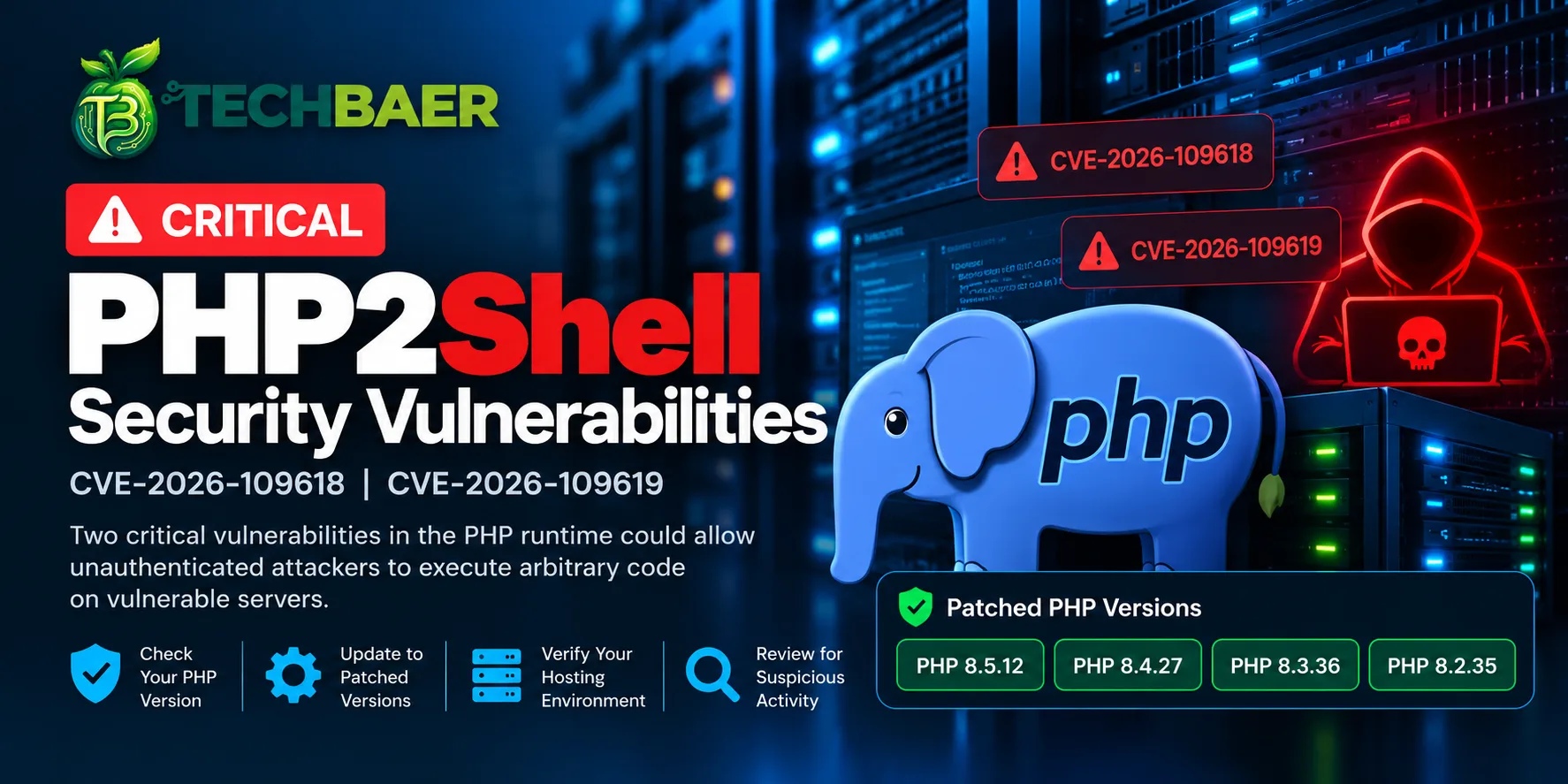
Two critical security vulnerabilities, CVE-2026-109618 and CVE-2026-109619, have been reported in PHP under the name PHP2Shell.
These vulnerabilities could allow attackers to execute malicious code on vulnerable servers without logging in. If successfully exploited, they could put your website, application, server, and business data at risk.
The Canadian Centre for Cyber Security has published an advisory about these vulnerabilities, highlighting the importance of identifying affected PHP environments and applying the appropriate security updates.
The most important thing to understand is this: updating your website's CMS, framework, or plugins is not enough if the underlying PHP runtime remains vulnerable.
If you own a website, manage a server, or maintain PHP applications for your business, here's what you need to know and what you should do next.
Official security advisory: Canadian Centre for Cyber Security: Critical PHP Vulnerabilities
1. What Is PHP2Shell?
PHP powers millions of websites and business applications, including WordPress websites, Laravel applications, e-commerce platforms, customer portals, and custom software.
PHP2Shell refers to two vulnerabilities affecting the PHP runtime itself.
In simple terms, these vulnerabilities involve problems with how PHP manages memory while processing requests. Under certain conditions, an attacker may be able to exploit these problems to execute code on a vulnerable server.
The two vulnerabilities are:
CVE-2026-109618: A memory-handling problem associated with out-of-memory conditions.
CVE-2026-109619: A memory-management problem involving the use of internal data after its associated memory has been released.
Both vulnerabilities have been reported with a CVSS v4.0 severity score of 9.2 out of 10.
Successful exploitation could allow an attacker to execute code with the privileges available to the affected PHP process.
You don't need to understand the underlying memory-management details to protect your website. The key action is to identify the PHP version serving your application and ensure that the relevant security fix has been applied.
2. Does This Affect WordPress, Laravel, or CodeIgniter Websites?
Potentially, yes.
The vulnerabilities affect the PHP runtime rather than a specific CMS or framework. This means websites built with WordPress, Laravel, Symfony, CodeIgniter, or custom PHP code may be exposed if they rely on an affected PHP installation.
For example, you might have:
Updated WordPress core and all plugins.
Installed the latest Laravel dependencies.
Removed outdated Composer packages.
Followed recommended application security practices.
Your website could still be exposed if the PHP runtime serving requests remains vulnerable.
Updating your CMS, framework, themes, plugins, or Composer dependencies alone will not fix a vulnerable PHP runtime.
The relevant environments may include PHP-FPM, Apache with mod_php, CGI-based PHP, FrankenPHP, and LiteSpeed configurations that execute PHP. Actual exposure depends on the version and configuration in use.
Need help checking your PHP application? At TechBaer Softwares, we specialize in PHP-based application development and business software solutions. We can help you review your application's technical environment, identify potential compatibility concerns, and plan an appropriate upgrade. Contact TechBaer Softwares for assistance.
3. Which PHP Versions Need to Be Updated?
The following patched releases have been identified for the affected PHP branches.
PHP branch | Patched release |
|---|---|
PHP 8.5.x | PHP 8.5.12 |
PHP 8.4.x | PHP 8.4.27 |
PHP 8.3.x | PHP 8.3.36 |
PHP 8.2.x | PHP 8.2.35 |
If you use an earlier release in an affected branch, update to the corresponding patched version or a later applicable security release.
What about PHP 8.1 and older?
PHP 8.1 and earlier are no longer supported by the upstream PHP project for regular security updates.
Some operating system vendors and commercial support providers may supply backported security fixes for older versions. Check your provider's security advisory and package status before deciding whether an installation is protected.
If an appropriate fix is unavailable, plan an upgrade to a supported PHP branch. Older applications may need compatibility testing before the upgrade.
Important: Always verify the applicable release information against the official PHP advisories before deploying changes to production.
4. Using Shared Hosting or Managed Hosting? Verify Your PHP Version
Many hosting providers automatically apply security updates, so your website may already be protected.
However, don't assume that every PHP environment associated with your hosting account has been updated. Verify it for your own safety.
Different websites, domains, PHP-FPM pools, containers, and applications may use different PHP versions. The version shown in your hosting dashboard may not always tell you everything about the runtime serving your application.
Here's how to approach the check.
If you use shared hosting
If your website runs on cPanel, Plesk, or a similar hosting platform:
Log in to your hosting control panel.
Open the PHP version settings for your domain.
Check the PHP version assigned to your website.
Ask your hosting provider to confirm that the relevant security patch has been applied.
If you cannot change the PHP version yourself, request an update from the hosting support team.
If you host multiple websites, check each domain separately.
If you use managed hosting
Your provider may manage PHP updates automatically. Even so, contact its support team to confirm that the PHP runtime serving your particular website has received the relevant security fix.
Don't rely only on a general statement that the hosting platform is up to date. Ask about the actual runtime used by your application.
If you manage a VPS or dedicated server
Identify the PHP versions installed on your server and determine which one each website uses.
You can start by checking the command-line version:
php -vHowever, this command shows the PHP version used by that particular CLI executable. It does not necessarily show the version serving requests through PHP-FPM, Apache, or LiteSpeed.
You should also inspect the web server configuration, PHP-FPM pools, installed packages, and any custom PHP installations.
If you use Docker or containers
Updating PHP on the host machine does not automatically update PHP inside existing containers.
Check the PHP version inside your deployed container image. If it uses an affected release, rebuild the image with a patched runtime and redeploy the affected service.
The same principle applies to Kubernetes workloads and other container-based platforms.
Not sure whether your hosting environment is protected? TechBaer Softwares can help you review your PHP environment and identify the steps required to verify and update it. Our expertise in PHP applications and business software helps us understand both application-level compatibility and the technical considerations involved in runtime upgrades. Get technical assistance from TechBaer Softwares.
5. What Should Website Owners and Developers Do?
Once you've identified the PHP version used by your application, follow a structured remediation process.
Step 1: Identify all PHP environments
Create an inventory of your PHP-powered websites, APIs, administrative panels, background workers, and containers.
Record the PHP version, execution interface, hosting provider, and person or team responsible for maintaining each environment.
This is particularly important when you manage several websites or applications on the same server.
Step 2: Apply the appropriate security update
Install the relevant patched PHP release through your hosting provider, operating system package manager, or container deployment process.
If your application uses a bundled PHP runtime, consult the vendor's instructions.
Step 3: Restart or redeploy where necessary
Depending on your deployment method, PHP-FPM workers, web server processes, or containers may need to be restarted or redeployed before the updated runtime becomes active.
Follow the instructions for your platform and confirm that the running services use the patched version.
Step 4: Test application compatibility
Before deploying a PHP upgrade to production, test your application in a staging environment whenever possible.
Check:
Important website pages and business workflows.
Database connections and transactions.
PHP extensions and Composer dependencies.
Authentication and file uploads.
API endpoints and external integrations.
Background jobs and scheduled tasks.
Application logs and performance.
Keep a rollback plan in place in case the upgrade introduces compatibility problems.
Step 5: Verify the deployed version
After updating, confirm that the version serving requests is patched.
Do not assume that a successful package installation or a change in the hosting dashboard means every application is using the updated runtime.
If your hosting provider performs the update, request confirmation for the affected domain or service.
Step 6: Investigate suspicious activity
If your server was exposed while vulnerable, review relevant logs and investigate suspicious processes, modified files, unfamiliar accounts, unusual commands, and unexpected outbound connections.
Patching prevents continued exposure to the fixed vulnerability, but it does not automatically remove malicious code or reverse an existing compromise.
If you suspect an intrusion, preserve relevant evidence and follow an appropriate incident response process.
Step 7: Plan upgrades for legacy applications
If your application depends on an unsupported PHP version, identify compatibility issues and plan a migration to a supported branch.
Avoid leaving internet-facing applications on unsupported runtimes without a suitable security plan.
6. What If You Cannot Update PHP Immediately?
Applying the official security patch is the recommended course of action.
If you cannot update immediately, consult the official advisory for temporary mitigation options that apply to your specific environment.
Depending on the circumstances, you may need to restrict access to an affected application or isolate it from the internet until remediation is possible.
A web application firewall (WAF), request restrictions, or other temporary controls may help reduce exposure, but they should not be treated as a complete replacement for patching.
If you operate a business-critical application or a legacy PHP system, avoid making untested production changes that could cause unexpected downtime.
Need help planning a safe PHP upgrade? Our team at TechBaer Softwares specializes in PHP development and business application solutions. We can discuss your requirements and help you identify compatibility concerns, evaluate the upgrade path, and plan the necessary testing. Let us help with your PHP environment.
7. How TechBaer Softwares Can Help
Addressing a PHP security issue requires more than simply changing a version number. You also need to understand your hosting environment, application dependencies, and deployment process.
TechBaer Softwares specializes in PHP-based software development and business applications. We can help organizations assess their technical requirements and plan appropriate remediation.
Depending on your needs, assistance may include:
Reviewing PHP versions and server configurations.
Identifying outdated or unsupported PHP installations.
Checking compatibility with PHP extensions and application dependencies.
Planning PHP upgrades for WordPress, Laravel, CodeIgniter, and custom applications.
Supporting deployment verification and post-update testing.
Helping investigate suspicious activity and determine appropriate next steps.
Whether you manage one business website or multiple PHP applications, a structured approach can help reduce avoidable downtime while prioritizing security.
Get professional assistance
Not sure where to start? Let us know what PHP application or hosting environment you use. Our team can discuss your requirements and help you determine the next steps.
Contact TechBaer Softwares for support
8. Official Security References
For the latest technical details, affected versions, patched releases, and remediation guidance, consult these resources:
Canadian Centre for Cyber Security: Critical Vulnerabilities Impacting PHP, CVE-2026-109618 and CVE-2026-109619
PHP Security Advisories: Official PHP source repository security advisories
PHP official news and release information: PHP News Archive
Always consult the official advisories and your hosting or software vendor before making production changes.
Conclusion: Verify Your PHP Runtime Today
PHP2Shell is a reminder that keeping a website secure involves more than updating plugins, frameworks, and application code.
Your PHP runtime, server configuration, containers, and third-party software all require appropriate maintenance.
If you use a hosting provider, verify whether the relevant security updates have been applied. If you manage your own server, identify the PHP versions serving your applications and apply the appropriate patches.
If your environment is already patched, that's good news. Verification is still worthwhile because different websites and services may use different runtimes.
Check your PHP version. Apply the security update. Verify the deployment. Investigate potential compromise.
For help reviewing your PHP environment, checking compatibility, or planning an upgrade, contact TechBaer Softwares.
Disclaimer: This article provides general security information and is not a substitute for a configuration-specific security assessment. Confirm vulnerability details and patch status against official advisories before making production changes.
Need help with a project?
Chat with us right now, or send the details and we will get back to you.
Frequently asked questions
What is PHP2Shell?
PHP2Shell is the name used for two critical vulnerabilities in the PHP runtime itself, CVE-2026-109618 and CVE-2026-109619. Both have a CVSS v4.0 score of 9.2 out of 10. Under certain conditions they could allow an attacker to execute code on a vulnerable server without logging in.
Does updating WordPress, Laravel or my plugins fix it?
No. The flaws are in the PHP runtime, not in a CMS, framework or plugin. Your website can be fully up to date and still be exposed if the PHP version serving it is not patched. The fix is to update PHP itself.
Which PHP versions are patched?
The patched releases are PHP 8.5.12, PHP 8.4.27, PHP 8.3.36 and PHP 8.2.35. If you run an earlier release in one of those branches, update to the matching patched version or a later security release. Always confirm against the official PHP advisories.
What should I do if I use PHP 8.1 or older?
PHP 8.1 and earlier no longer receive regular security updates from the upstream PHP project. Some operating system vendors and support providers backport fixes, so check your provider's advisory and package status. If no fix is available, plan an upgrade to a supported PHP branch and test your application first.
How do I check which PHP version my website uses?
On shared or managed hosting, open the PHP version settings for your domain in the control panel and ask your provider to confirm the patch. On a VPS, php -v shows only the command-line version, so also check PHP-FPM, Apache or LiteSpeed. With Docker, check the PHP version inside the container image and rebuild it if needed.
I updated PHP. Is my server now safe?
Patching stops continued exposure to the fixed vulnerabilities, but it does not remove malicious code or undo an existing compromise. If your server was exposed while vulnerable, review logs, modified files, unfamiliar accounts, unusual processes and unexpected outbound connections.
What if I cannot update PHP right away?
Applying the official patch is the recommended action. Consult the official advisory for temporary mitigations that fit your environment, and consider restricting access to the affected application until it is fixed. A web application firewall may reduce exposure but is not a replacement for patching.